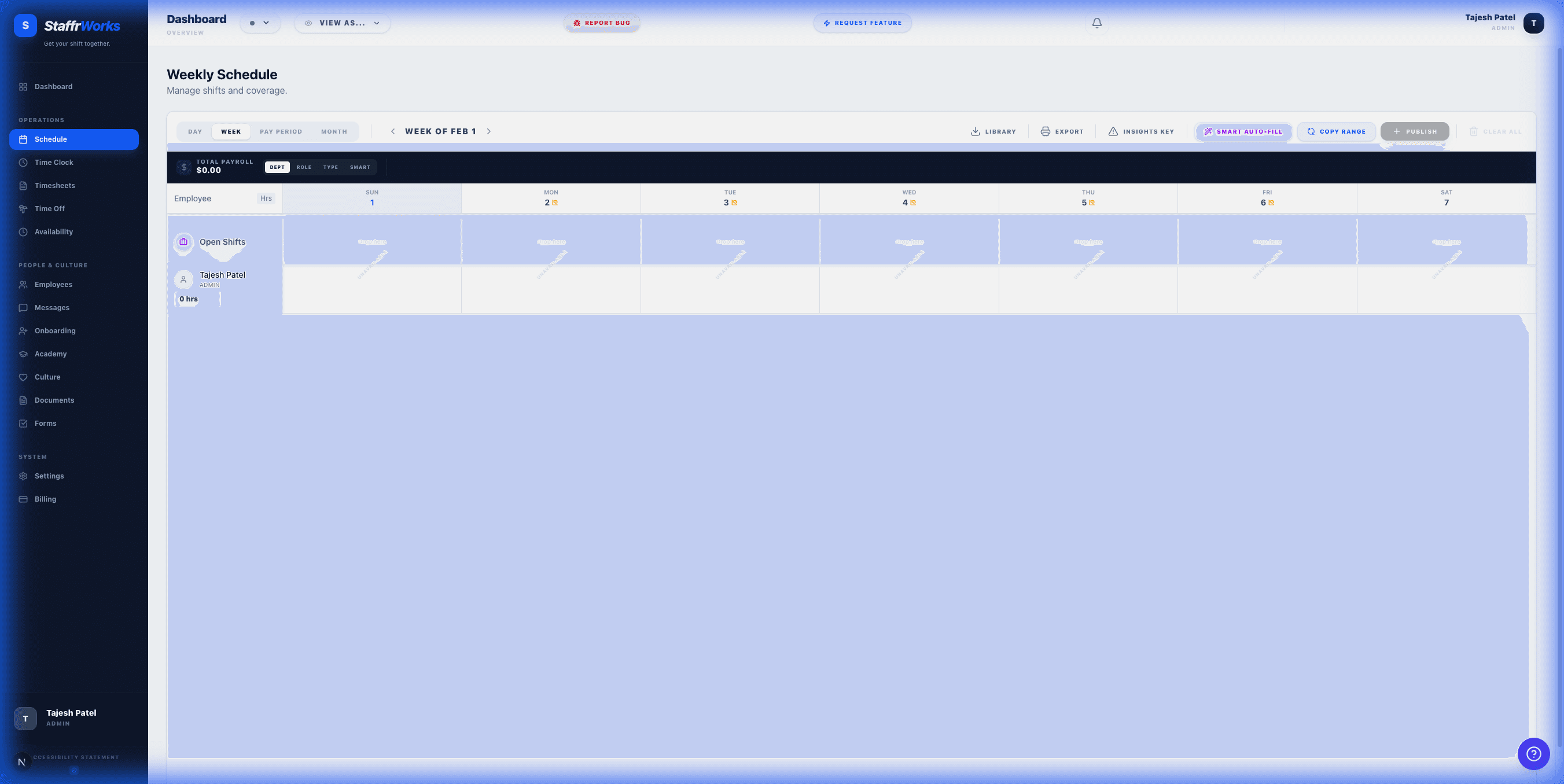
The schedule grid
Who’s working. Where. And when.
Keep employee names pinned as you move across the week. Check coverage, draft shifts and labor estimates before you publish.
Built for teams that work in shifts
Schedules, time clocks, and payroll in one place. Build the week, sort out missed punches, and keep every store on the same page.
BasicShift is free for up to 10 users and 1 location. No card needed for the free plan.
Less repeated work
Schedules and timesheets
Onboarding document workflow
Work conversations
Payroll preparation and handoff
Hiring records and checklists
Shift coordination
Recorded hours and pay previews
Payroll processing, background screening and general e-signatures may require separate providers. Availability depends on your plan and setup.
01 · Your working day, connected
Stop rebuilding the same information in a schedule, a time clock and a group chat.
Build the week. Fill the gaps. Tell everyone what changed.
Plan by grid, list, day, staff or store without rebuilding the week.
Post open shifts and handle swap requests with manager approval.
See who can work and check weekly hour limits as you plan.
Import a schedule export or spreadsheet, then check the shifts before publishing.
Keep the punch, the place and the correction in the same record.
Record clock-ins, breaks and clock-outs with your location and photo rules.
Give the team one clock-in station with individual four- or six-digit PINs.
Employees request a time correction; managers check and approve it.
Supported mobile punches queue offline and show whether the server has confirmed them.
Go from approved hours to a reviewed pay run and a guided filing checklist.
Review gross pay, deductions and tax totals before finalizing payroll.
Work through employer details, preparation, review, signature and transmission readiness.
Prepare supported multi-EIN returns with separate employer records and completeness checks.
Give employees their available paystubs and download supported payroll and accounting files.
E-filing needs provider production activation, employer authorization, complete per-EIN payroll records and an eligible tax pack. Preparation and self-upload remain available within their supported scope. StaffrWorks does not send tax payments.
Know which store needs attention, and keep the conversation with the work.
Log safe cash, count supply stock and review repair photos in one Store Operations workspace on eligible paid plans.
Compare coverage, recorded hours and store issues across the locations you manage.
Keep direct messages, location channels, photos and GIFs in the team workspace.
Assign opening and closing checklists and see completed work with its photos.
See attendance and performance signals beside availability before planning next week.
02 · Built around the actual shift
Keep employee names pinned as you move across the week. Check coverage, draft shifts and labor estimates before you publish.
Clock in from a phone or shared kiosk. Send a correction when a time is wrong, with the reason ready for your manager.
Review each employer’s payroll separately. The five-step e-file drawer puts records, signatures and filing prerequisites in order.
Live transmission stays locked until provider production setup and employer authorization are complete. Tax payments are separate.
Walk through payroll & e-filing03 · One store or a whole district
Cover the opening rush, the floor and the close.
Plan front-of-house shifts and handle swaps.
Keep front-desk and service teams in sync.
Track staff availability and training requirements.
Keep field punches and job-site updates together.
Coordinate distributed crews and location check-ins.
Less copying between tools. A clearer next step for the manager.
| The moment | Paper & Group Texts | 3 Disconnected Apps | StaffrWorks All-in-One |
|---|---|---|---|
| A shift changes | Rewrite the sheet. Text everyone. | Update the scheduler, then the chat. | Publish from the schedule your team uses. |
| Someone misses a punch | Find the message and edit the sheet. | Match the clock record to a separate request. | Request, review and approve the time correction. |
| Payroll day | Add up hours and re-enter them. | Move time records into the payroll tool. | Review pay runs beside approved time and payroll checks. |
| Another store needs help | Start another group conversation. | Switch accounts or reconcile separate views. | Plan coverage in one multi-location workspace. |
| A filing is due | Gather employer records and paperwork. | Reconcile payroll totals with a separate process. | Use the five-step checklist for supported returns.* |
Workflow examples, not a claim about every competing app. *Supported e-filing requires provider activation, employer authorization and complete payroll records. Agency payments remain employer-submitted.
04 · Start small. Know the price.
Paid plans offer a 14-day trial with a card upfront. They renew automatically unless canceled. BasicShift stays free within its limits.
The essentials for a small shift team.
$0.00 / month
10 users · 1 location included
Base price. Extra usage and add-ons may apply.
Compare BasicShiftAdd punch rules, time off and daily team tools.
$19.00 / month
20 users · 1 location included
Base price. Extra usage and add-ons may apply.
Compare ShiftControlBring scheduling and budgets across locations together.
$39.00 / month
50 users · 3 locations included
Base price. Extra usage and add-ons may apply.
Compare ShiftSyncAdd deeper workforce, payroll and operations tools.
$59.00 / month
100 users · 5 locations included
Base price. Extra usage and add-ons may apply.
Compare ShiftCommandEach plan includes users and locations. Add more as your team grows, with the price per extra user shown in the calculator and your total reviewed before payment.
Open Billing to review plans and choose the right fit for your team. You’ll see the price, plan limits and payment terms before confirming a change.
Each plan lists its included tools. Organization administrators can manage the available tools in company settings while keeping team permissions in place.
For businesses with more than 100 users or custom integration needs, contact our sales team for a tailored quote.
Start with your team. Add the tools you need as you grow.